
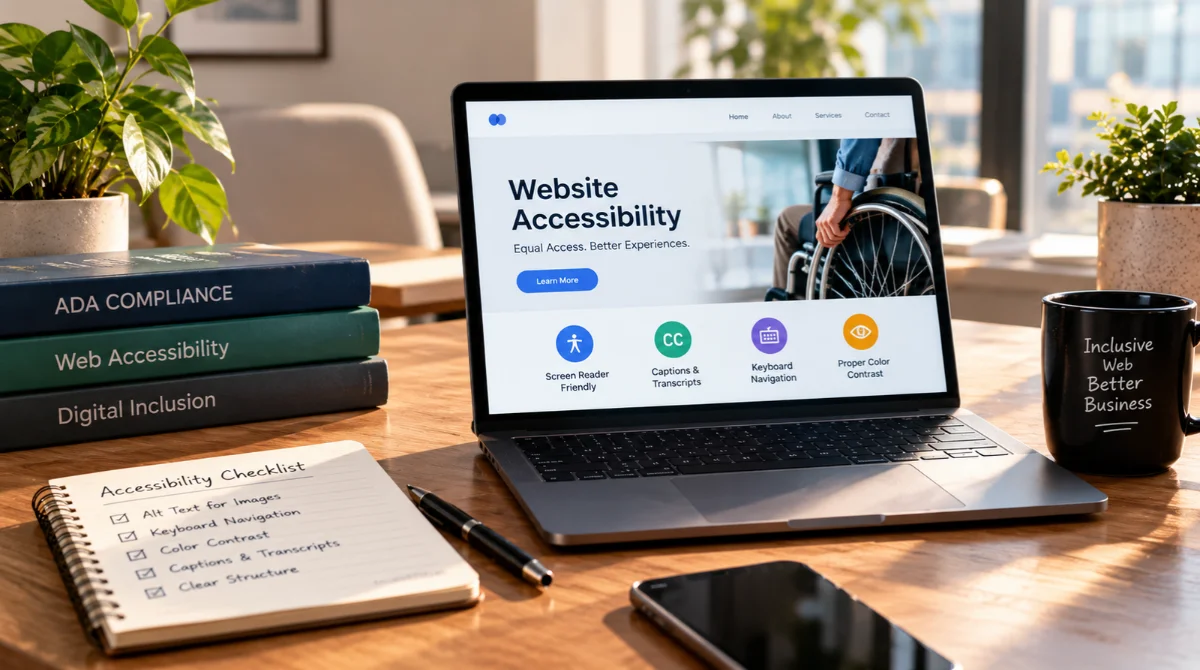
Your website is one of your business’s most important digital assets. It helps customers discover your services, contact your team, make purchases, and learn about your brand. But what happens if people with disabilities cannot navigate your website or access its essential features? Beyond creating a poor user experience, inaccessible website features may expose your business to potential legal complaints and compliance concerns.
The Americans with Disabilities Act (ADA) prohibits disability discrimination in covered circumstances, and the U.S. Department of Justice has stated that ADA requirements apply to the goods and services businesses offer to the public through their websites. Although the precise legal requirements depend on the circumstances, website accessibility is an important responsibility for businesses of different sizes and industries.
Understanding ADA website compliance can help you identify risks, improve usability, and create a more inclusive online experience.
Why Is ADA Website Compliance Important?
Website accessibility means designing and maintaining digital content so people with disabilities can perceive, understand, navigate, and interact with it. Visitors may use screen readers, keyboard navigation, voice recognition software, captions, or browser zoom to access online information.
When a website is difficult to use with these tools, customers may be unable to complete essential tasks. For example, an inaccessible checkout process could prevent someone from purchasing a product, while an improperly labeled contact form could stop a prospective customer from submitting an inquiry.
The U.S. Department of Justice identifies website accessibility as an important part of providing equal access to goods and services under the ADA. Businesses open to the public should therefore take accessibility seriously rather than treating it as an optional website enhancement. Source: ADA.gov.
What Statistics Reveal About Website Accessibility?
Accessibility research demonstrates the importance of evaluating websites systematically. The following table highlights key standards and guidance relevant to accessibility planning.
| Accessibility Indicator | General Information | Why It Matters |
| WCAG principles | Four principles: perceivable, operable, understandable, and robust | Provides a framework for accessible web content |
| WCAG 2.2 | 13 guidelines organized under four principles | Helps teams identify accessibility requirements |
| WCAG conformance levels | A, AA, and AAA | Provides different levels of accessibility criteria |
Source: Web Content Accessibility Guidelines (WCAG) 2.2.
What Are the Risks of Having a Non-ADA-Compliant Website?
Potential Legal Complaints and Lawsuits
One of the most significant concerns is the possibility of legal action. If a website creates barriers that prevent people with disabilities from accessing a covered business’s goods or services, the business may face an ADA complaint or lawsuit, depending on the circumstances.
Potential consequences can include legal expenses, settlement costs, remediation requirements, and the time needed to respond to a dispute. The outcome depends on the applicable law and the specific facts of the case.
Importantly, there is no single automated score that guarantees legal compliance, and installing an accessibility widget alone does not eliminate legal risk.
Losing Customers and Revenue
An inaccessible website can discourage customers from completing purchases, booking appointments, or requesting services. Missing form labels, confusing navigation, inaccessible payment systems, and unreadable text may prevent visitors from completing important actions.
These issues can affect conversion rates and customer satisfaction. Improving accessibility helps more people interact with your business independently and can create a smoother experience for users across different devices and abilities.
Damage to Brand Reputation
Customers expect businesses to provide welcoming, usable digital experiences. When a website excludes visitors, it can negatively affect perceptions of the brand and reduce customer trust.
Accessibility improvements demonstrate that your business values inclusion, usability, and customer service. Clear accessibility information and a practical process for reporting problems can also help businesses respond to concerns more effectively.
Website Maintenance and Remediation Costs
Delaying accessibility improvements may allow problems to spread across multiple pages, templates, forms, and third-party integrations. Fixing these issues later can require more development time than addressing accessibility during the initial design process.
Regular accessibility audits help identify issues early, prioritize essential fixes, and establish a more manageable long-term maintenance plan.
How Can You Make Your Website More Accessible?
Follow WCAG Accessibility Guidelines
The Web Content Accessibility Guidelines (WCAG) provide a widely used framework for improving website accessibility. WCAG 2.2 organizes its requirements around four principles: perceivable, operable, understandable, and robust.
Businesses should determine which technical criteria apply to their websites and any relevant legal obligations. WCAG conformance is a valuable accessibility target, but meeting a particular standard does not automatically guarantee compliance with every applicable law.
Fix Common Accessibility Barriers
Start by checking the website for issues such as:
- Missing or inaccurate alternative text for meaningful images.
- Poor color contrast and text that cannot be resized easily.
- Forms without clear labels, instructions, or error messages.
- Menus and buttons that cannot be operated using a keyboard.
- Videos without appropriate captions.
- Incorrect heading structures that make pages difficult to navigate.
Conduct Regular Accessibility Audits
Automated accessibility testing tools can identify many common issues, but they cannot reliably detect every usability barrier. Combine automated scans with manual keyboard testing, screen-reader checks, and testing by people with disabilities where possible.
Review important customer journeys, including checkout processes, appointment booking, contact forms, and account registration. Recheck accessibility after major website updates.
Work With an Experienced Digital Marketing Agency
Website accessibility should be considered alongside website design, technical SEO, mobile usability, and conversion optimization. These areas overlap because a clear website structure and well-organized content can improve usability for a wider audience.
Sky SEO Digital offers ADA compliance and WCAG website accessibility services, including accessibility audits, remediation, and testing. Its digital marketing services also include SEO, web design, local SEO, and online reputation management.
An expert team can help identify technical barriers, prioritize improvements, and establish a practical remediation plan. However, accessibility service providers cannot guarantee that a website will never face a legal complaint.
Website Accessibility: A Step Toward Digital Inclusion
An inaccessible website can create potential legal exposure, exclude customers, damage brand reputation, and make essential online tasks unnecessarily difficult. Businesses should treat website accessibility as an ongoing responsibility rather than a one-time technical fix.
Start with an accessibility audit, address the most significant barriers, and use WCAG as a practical framework for improvement. Partnering with a trusted provider such as Sky SEO Digital can help your business combine website accessibility, professional web design, and digital marketing services into a more inclusive and effective online experience.
FAQs
Is it illegal to have a website that is not ADA compliant?
A website may raise ADA concerns if it prevents people with disabilities from accessing covered goods or services. Whether a particular website violates the law depends on the circumstances and applicable legal requirements.
Can small businesses be sued for website accessibility issues?
Small businesses may face accessibility complaints or lawsuits, depending on the business, circumstances, and applicable law. Business size alone should not be treated as a guarantee of exemption.
Does an accessibility plugin make my website ADA compliant?
Not necessarily. Plugins and overlays may help with certain features, but they cannot automatically correct every underlying design, content, or coding issue. Manual testing and appropriate remediation remain important.
What is the difference between ADA compliance and WCAG compliance?
The ADA is a U.S. civil rights law, while WCAG is a technical standard for web accessibility. WCAG provides practical criteria for improving accessibility, but legal compliance depends on the requirements applicable to the organization.
How often should I audit my website for accessibility?
Conduct an initial audit and repeat testing after significant design, content, or functionality changes. Regular reviews help identify newly introduced barriers and maintain accessibility over time.

Bryan Wisotsky is Miami's leading AI SEO strategist with 17+ years in digital marketing. He founded Sky SEO Digital to help businesses dominate the new era of AI-driven search. Bryan personally leads every client engagement — no juniors, no handoffs.