
Download the Free ChatGPT Business Profile Guide
Prefer a printable checklist? Get the simple step-by-step PDF.
What Is a ChatGPT Business Profile?
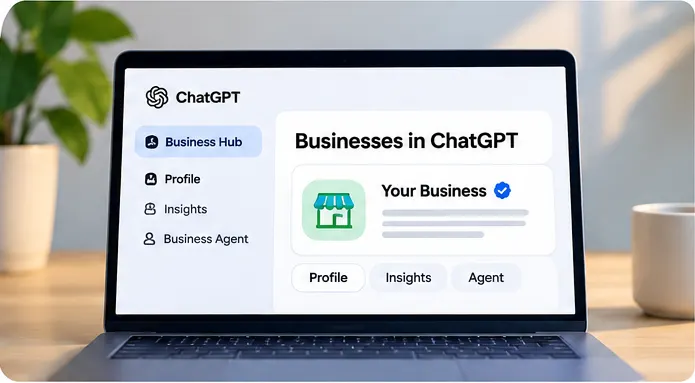
A ChatGPT business profile is a business listing that an eligible owner or authorized representative may claim and manage through OpenAI’s Businesses in ChatGPT experience. It can help businesses provide more accurate information about who they are and what they offer.
This is different from subscribing to ChatGPT Business, the paid team workspace. A business profile concerns how a company is represented in business discovery experiences.
How to Claim Your Business on ChatGPT
Step 1: Visit the official Businesses in ChatGPT page
Open OpenAI’s business page, sign in and look for Business Hub or the available claim flow.
Step 2: Find your business listing
Search for your company name, select the correct result and begin the claim process. Some businesses may not yet be eligible or available to claim.
Step 3: Verify business ownership
Follow the verification method offered for your listing. Options may include a business email, phone, website DNS record or a supported commerce platform.
Step 4: Complete identity verification
OpenAI may request identity or authorization documents. Use the official verification flow and wait for the review outcome.
Step 5: Review your profile details
Complete the available fields and ensure your business name, website, services, descriptions, contact information and images are correct. Keep these details consistent with your public website and listings.
Step 6: Explore insights and optional tools
If your account supports them, review profile insights and optional business-agent capabilities. Features may differ by business type and rollout status.
Does Claiming a ChatGPT Business Profile Help With AI Search?
Claiming a profile can help you manage business information, but it is not a guaranteed way to appear in ChatGPT answers. For broader visibility, your website should clearly explain your services, locations, expertise and common customer questions. This is part of AI search optimization and SEO.
ChatGPT Business Profile Optimization Checklist
| Action | Why it matters |
|---|---|
| Verify and review business details | Helps keep the information you control accurate. |
| Build helpful service pages | Explains what you offer and who you serve. |
| Publish customer-focused FAQs | Provides direct answers to common questions. |
| Update local business listings | Reduces inconsistent names, addresses and phone numbers. |
| Check crawler access | Helps search systems discover public website content. |
| Monitor performance | Helps identify mentions, referral visits and leads. |
Also review your Google Business Profile, Bing Places and OpenAI crawler guidance.
ChatGPT Business Profile Setup FAQs
Can I create a business profile on ChatGPT?
Eligible businesses can claim or manage a listing through Businesses in ChatGPT, subject to availability and verification.
Is a ChatGPT business profile the same as ChatGPT Business?
No. ChatGPT Business is a team subscription. A business profile is a listing or business discovery presence.
Will claiming my profile make my business rank higher?
No. A claim does not guarantee that ChatGPT will recommend your business or rank it above competitors.
Do I need a Shopify store?
No. Shopify is an optional integration or verification path for certain eligible merchants.
What if my business does not appear?
Check eligibility and revisit the official business page. Listing availability may depend on your business category and location.
How do I improve my business’s visibility in ChatGPT?
Maintain accurate listings, publish detailed and useful website content, answer customer questions clearly and ensure your site is accessible to relevant search crawlers.
Need Help With AI Search Visibility?
At Sky SEO Digital, we help businesses improve their online visibility through SEO, local SEO and answer engine optimization (AEO). A claimed profile is one step; a well-structured website and trustworthy information matter too.
Get the Free Setup Checklist
Download the PDF and follow the steps at your own pace.
Note: OpenAI may change business-profile eligibility, verification requirements and features during rollout.

Bryan Wisotsky is Miami's leading AI SEO strategist with 17+ years in digital marketing. He founded Sky SEO Digital to help businesses dominate the new era of AI-driven search. Bryan personally leads every client engagement — no juniors, no handoffs.